Want to implement this in your business?
The Psychology of Video Editing: How We Edit Videos That Generate Leads

Your company does great work, but your social media videos aren't generating enquiries? The problem isn't what you do - it's how you show it. Learn the editing techniques that stop the scroll and turn views into real leads.
Your company does great work. HVAC installation, smart home setup, deck construction - the client is happy, the result looks like it belongs in a catalogue. You film it on your phone, post it on Facebook, add a caption Another project done! and... silence. Three likes, zero enquiries.
Sound familiar?
The problem isn't what you do. The problem is how you show it. In 2026, your potential customer isn't reading newspaper ads - they're scrolling Facebook and Instagram in the doctor's waiting room, during lunch, before bed. And you have literally 3 seconds to stop their thumb.
In this article, I'll show you exactly which editing techniques we use so that our clients' videos don't just get views - more importantly - they generate real enquiries from people ready to pay.
Why does video work better than photos?
Before we get into the editing details, one important number: video posts generate 48% more engagement than photo posts on Meta platforms (Facebook + Instagram). But that doesn't mean every video works.
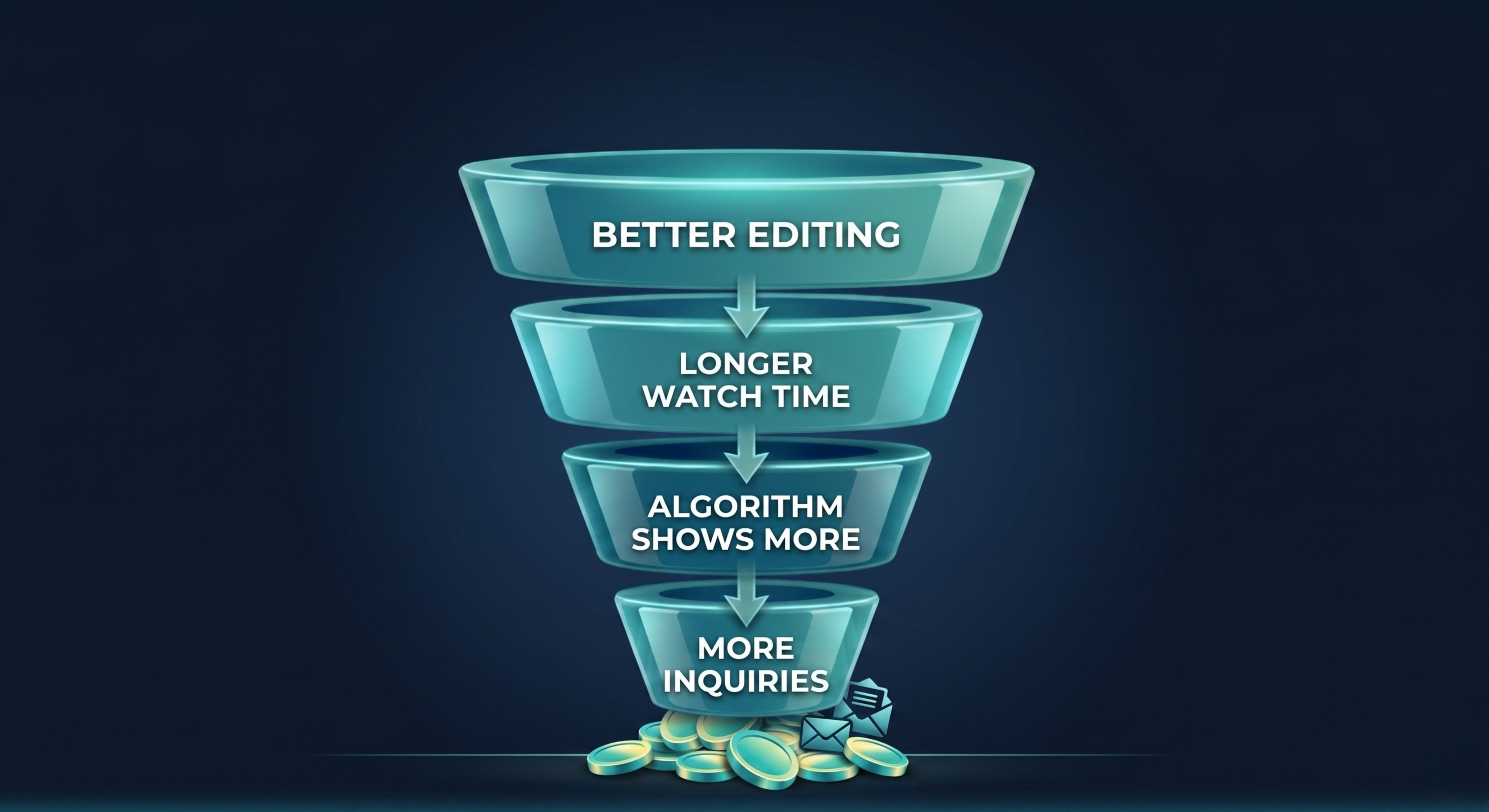
The Facebook and Instagram algorithm primarily measures one thing: how long people watch your video. Not likes, not comments - watch time. The longer a viewer stays, the more people the algorithm will show your video to. It's a snowball effect: better editing → longer watch time → more views → more enquiries.
1. HOOK - you have 3 seconds to stop the thumb
The first 3-5 seconds of your video are your make-or-break moment. Meta's research shows that 65% of people who watch the first 3 seconds will stay for at least 10. And those who stay for 10 seconds are very likely to watch until the end.
What makes a good hook?
A good hook gives the viewer all the key information upfront - in the first frame. The viewer must immediately know:
- What it is (what service / project)
- Why they should care (benefit, result, price)
- That it's worth staying (content promise)
Example: bad hook vs. good hook
✗ Bad hook
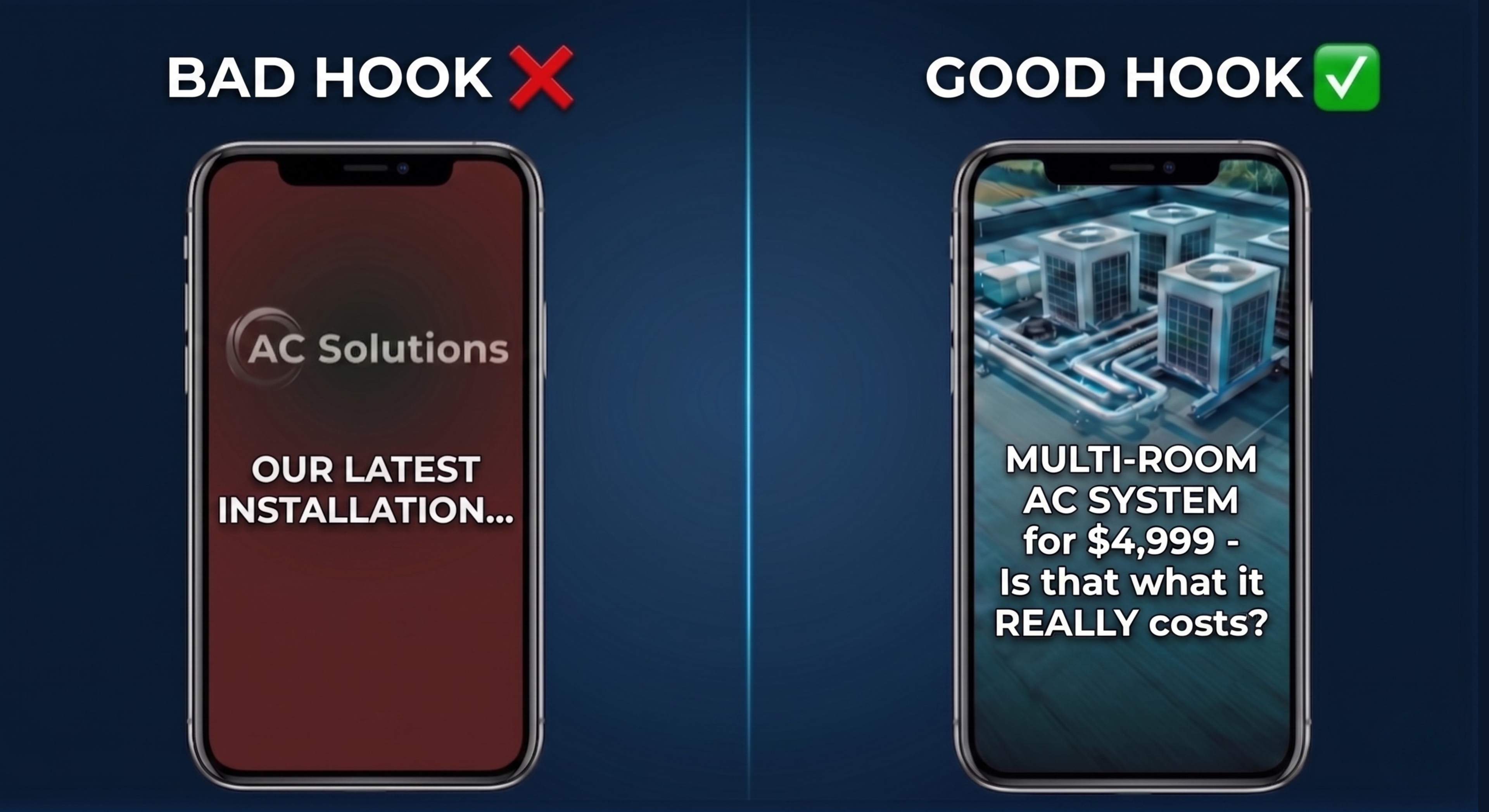
Fade in with company logo... music builds up... after 4 seconds a caption appears Our latest project...
The viewer scrolled past long ago. Nobody cares about your company logo except you.
✓ Good hook
First frame: the finished project in all its glory. On-screen text: AC in 48h - from first call to cold air. The editor starts with a WOW shot - drone footage, installation timelapse, or before/after.
The difference? The first video talks about you. The second talks about the customer and their need.
Proven hook formulas that work in the service industry:
- Before/After: From garage to living room - a 5-day transformation
- Price/Cost: AC in a 3-bedroom flat for $3,500 - how much does it really cost?
- Problem → Solution: $500/month heating bills? See what we did.
- Question: How much does a smart home cost in 2026?
2. PACING - maintain attention as attention spans shrink
We know that the average social media user's attention span is shorter than ever. Microsoft research found that the average focus time is 8.25 seconds - less than a goldfish (9 seconds). But that's not a reason to give up on video - it's a reason to edit smarter.
The 2-3 second rule
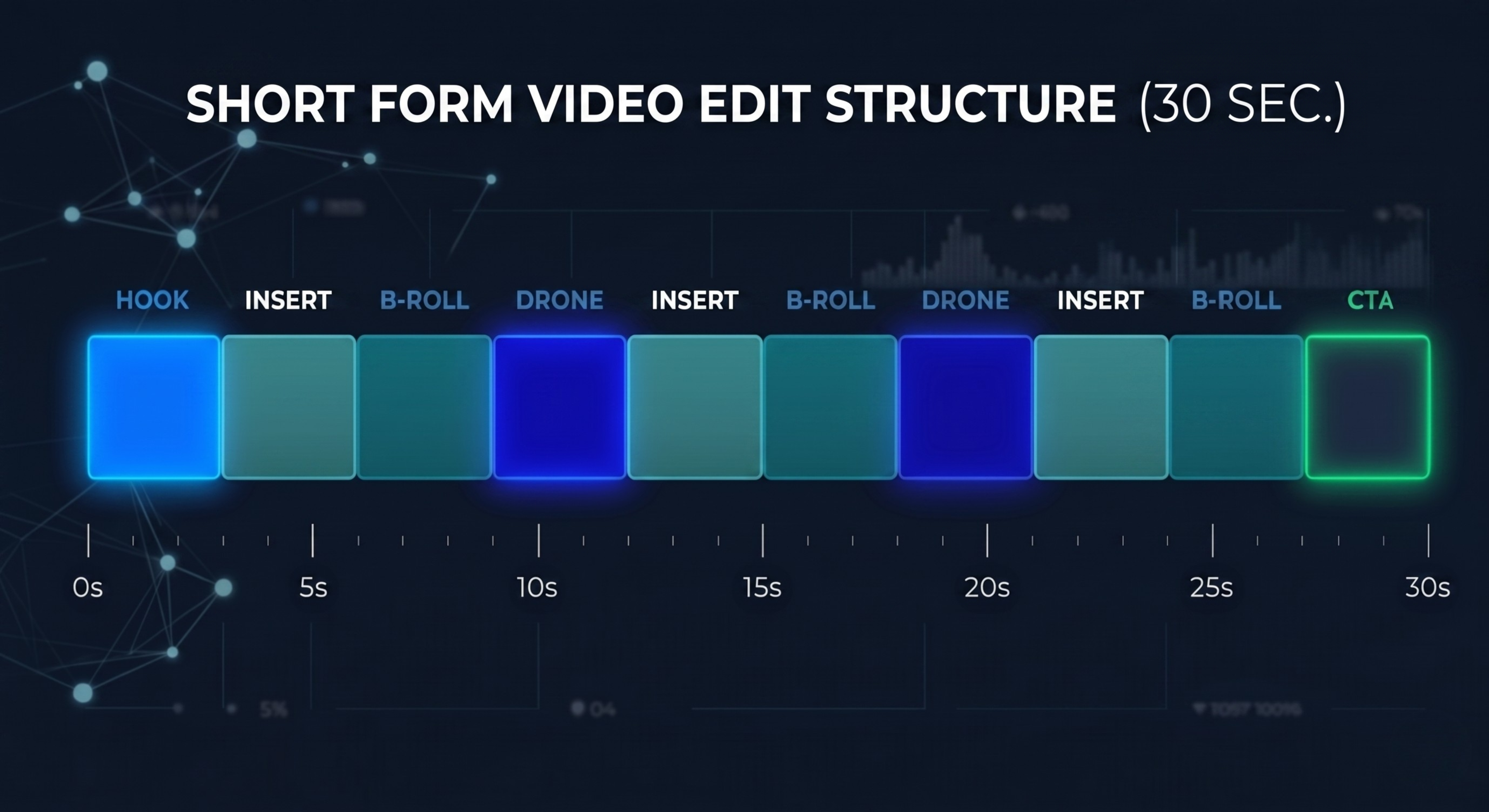
In professional social media video editing, there's one iron rule: change the shot every 2-3 seconds. Not every 10, not every 15 - every 2-3.
Why? Because every change on screen is a micro-signal to the brain: Hey, something new! Stay a bit longer. Without it, the brain gets bored and the thumb automatically scrolls up.
B-Roll - show what you're talking about
B-Roll is supplementary footage we overlay on the main material. When a client talks about an AC installation, we don't see their talking head - we see a close-up of the unit, the technician's hands at work, the control panel.
Transitions and sound effects
A simple cut isn't enough. Well-chosen transitions (zoom in, whip pan, morph cut) combined with subtle sound effects (whoosh, click, ambient sound) create an impression of professionalism and energy.
But be careful - we're not talking about effects from a 2005 wedding videographer. Transitions should be fast, clean, and consistent. One transition style throughout the entire video, matched to the industry and pace of the material.
Pacing vs. video type
| Video type | Edit pacing | Goal |
|---|---|---|
| Ad / Commercial | Fast (every 1.5-2s) | Stop the scroll, spark curiosity |
| Case study / Showcase | Moderate (every 2-3s) | Show results, build trust |
| Educational / how-to | Slower (every 3-5s) | Share knowledge, position as expert |
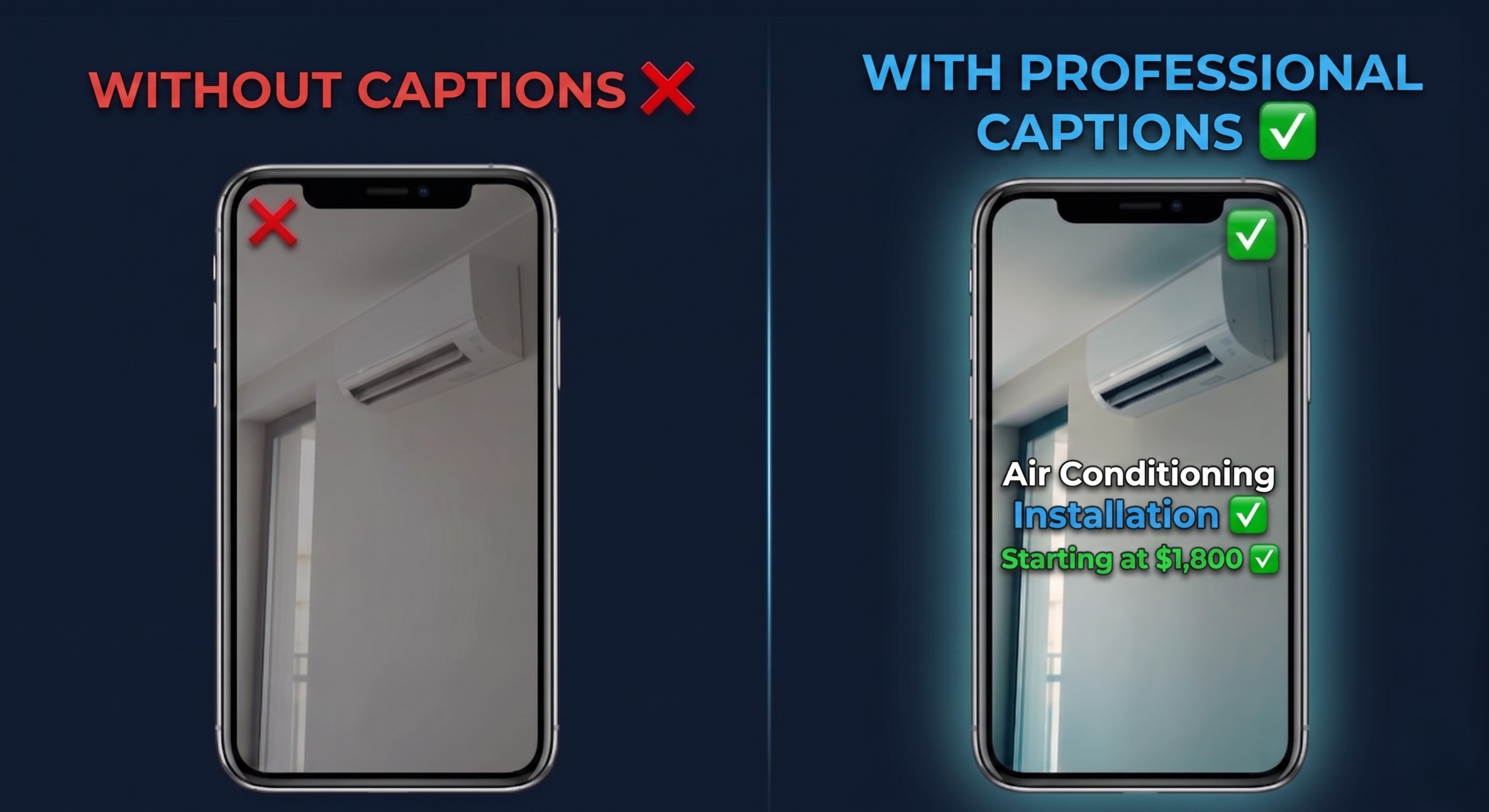
3. SUBTITLES - 85% of viewers watch without sound
This is the point that many business owners completely ignore. And it's a shame, because it's perhaps the easiest way to double the effectiveness of your videos.
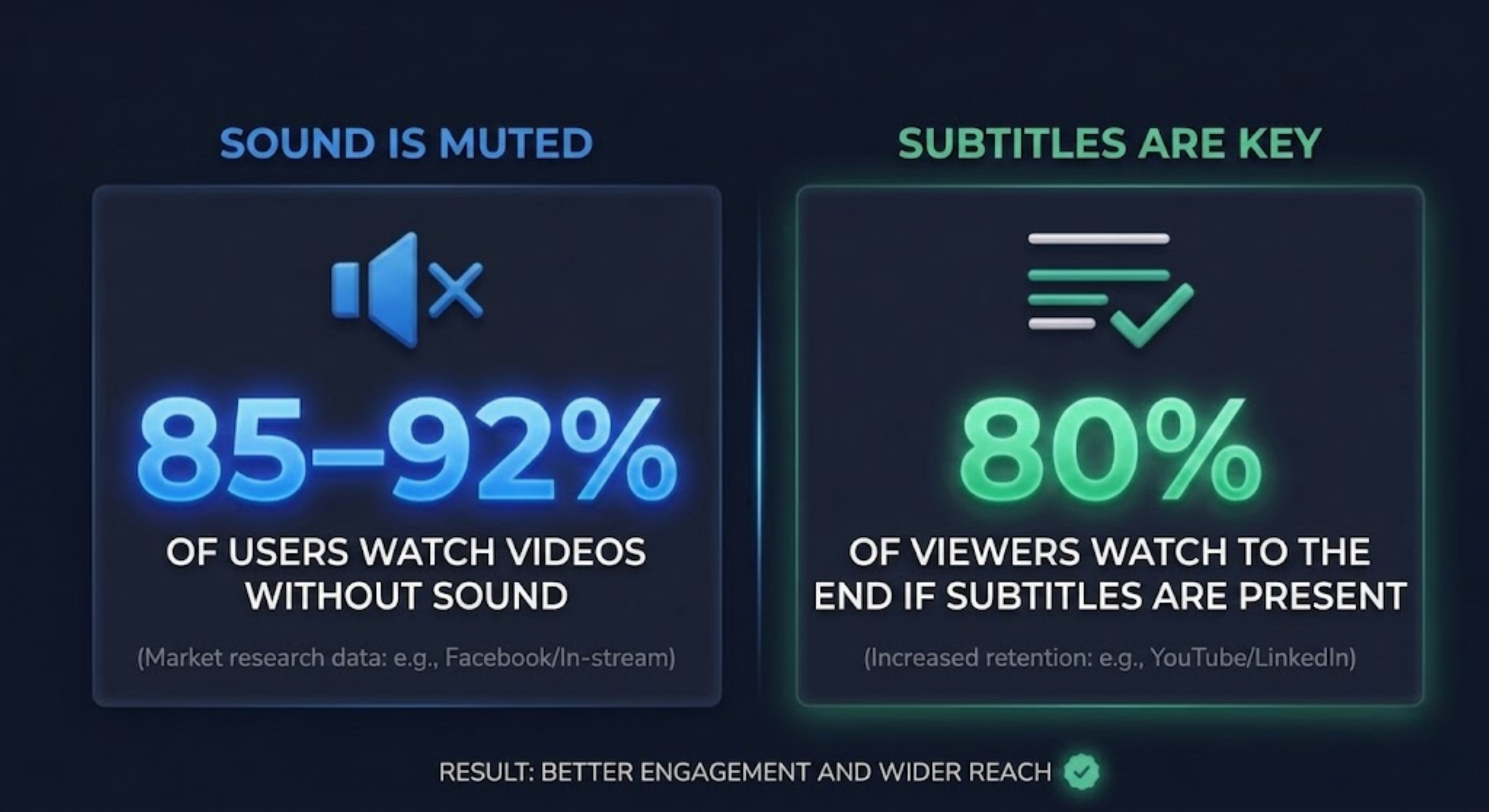
Think about it: 9 out of 10 people who see your video can't hear a word. They're at work, on the bus, in bed next to a sleeping partner. If your video doesn't have subtitles - for these people it's just a silent moving picture.
Not just any subtitles
Simply adding white text at the bottom of the screen is the bare minimum. Professional subtitles in promotional videos are a completely different league:
Colour highlighting:
- Prices and costs → green colour (e.g. installation for $3,500)
- Key words → brand colour or contrasting
- Service names → bold
Positioning:
Subtitles don't have to be at the bottom. In short-form content (Reels, TikTok) subtitles in the centre of the screen perform better because the viewer's gaze naturally goes there.
Animation:
Word-by-word vs. full sentence at once. The word-by-word format increases readability and adds dynamics - viewers follow the text like a ball.
4. CTA - a video without a call to action is a wasted opportunity
Your video can have the perfect hook, dynamic editing and flawless subtitles - but if you don't tell the viewer what to do next, most will simply... scroll to the next video.
Where to place the CTA?
Common mistake: CTA only at the end. The problem? Most viewers won't make it to the end. That's why the most effective strategy is a double CTA:
- 1.Soft CTA in the middle (~50%): If you want a quote for an installation like this - link in bio - spoken naturally, not pushy
- 2.Strong CTA at the end: graphic with phone number, Send message button, animated text
CTA psychology in the service industry
People looking for construction and installation services have different needs than e-commerce customers. They don't buy impulsively. They need:
- A quote → Contact us for a free quote
- Safety → Free consultation, no obligations
- Social proof → Join 100+ satisfied customers in your area
5. Format matters - not every video works everywhere
One video won't work equally well everywhere. Format must match the platform:
| Element | Facebook Feed | Instagram Reels | TikTok |
|---|---|---|---|
| Format | 4:5 or 1:1 | 9:16 (vertical) | 9:16 (vertical) |
| Length | 30-90 sek | 15-60 sek | 15-45 sek |
| Subtitles | Essential | Essential | Essential |
| Hook | Text + image | Motion + text | Trend + authenticity |
Don't upload one video in the same format everywhere. A horizontal YouTube video won't work as a Reel. It's not a matter of it will do - it's whether the algorithm will even show your content.
Why don't most companies do this themselves?
Honestly? Because it requires specialisation. Filming on your phone is one thing. But turning 20 minutes of raw footage into a 45-second video that stops the scroll, builds trust and generates enquiries - that's work that requires:
- Understanding social media platform algorithms
- Knowledge of attention psychology and consumer behaviour
- Editing skills with the right pacing and dynamics
- Industry experience - knowing what works in installations vs. construction
That's exactly why at Freedom Flow Marketing we don't make pretty videos. We make videos that generate leads. Every piece of content we edit is built using the same psychology of editing principles I've described above - because we know they work.
Summary: Your editing checklist
Before you publish your next social media video, check these points:
- ✓Hook in 3 seconds - viewer knows what the video is about and why they should stay
- ✓Shot change every 2-3 seconds - no long static frames
- ✓B-Roll - show what you're talking about, not a talking head
- ✓Highlighted subtitles - coloured prices, animated text
- ✓CTA in the middle and at the end - viewer knows what to do next
- ✓Matched format - vertical for Reels/TikTok, square for Feed
- ✓Sound effects - subtle whooshes and cuts adding professionalism
If you want to see how these principles look in practice on videos from your industry - get in touch. We'll show you real examples and tell you how video can become your main source of new enquiries.

Responsible for strategy and editing of video content that generates leads for service businesses in Poland, the US and UK.
Read also
Window Tech Expo 2026 - Discover the Future of Windows, Doors and Facades
Freedom Flow Marketing · 5 min read
Door Tec 2026 - Where Innovation in Door Technology Meets the Industry
Freedom Flow Marketing · 5 min read
HVAC Marketing in 2026: How to Get Exclusive Leads Without HomeAdvisor
Gabriela Obzejta · 10 min read
5 AI Features Construction Companies Use Most in 2026
Izabela Janiczek · 8 min read
How to Boost Ad Performance Without Increasing Your Budget
Gocha Czura · 10 min read